Orbit Product Viewer
軌道回転ビューア
視点を周囲から回して、照明器具の輪郭・支柱・背面の細部を確かめる
LUMA / ATELIER 0101 / ORBIT
Every angle.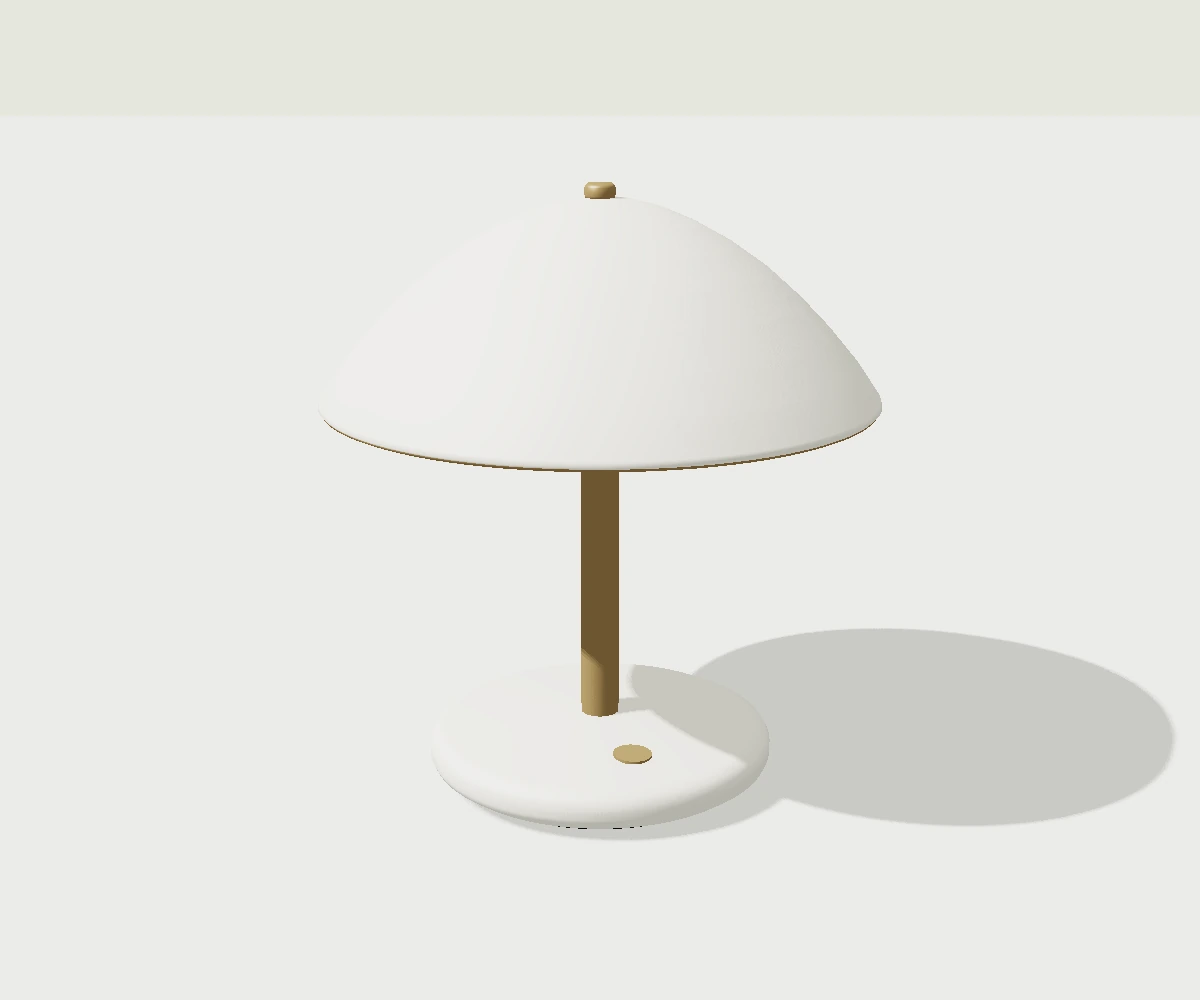
軌道回転ビューア
この実演を準備しています…
設定値を保ち、操作を最初に戻します。
見本の中を直接操作できます。再生や固定は、見本内のボタンから試してください。
こんな場面に
ブランドの世界観や、体験の中心となる1箇所に。
使うときの判断
本文を読む領域では演出を抑える。端末性能と動きを減らす設定を確認。
IMPLEMENTATION
実装レシピ
独自の照明器具LUMA / ATELIER 01をGLBからGLTFLoaderで読み込み、6つの名前付き部品を使う。文字・操作UIはDOMで保ち、物理材質と環境反射、キー光、床の影で立体を示す。端末比率に応じて視野を合わせ、DPR最大2・300万画素を上限とする。読み込み・GPU失敗は形状見本と再試行に戻し、選択値を保持。退出時に通信、RAF、監視、geometry/material、環境・影の描画先、rendererを破棄。モデルを固定し、球面座標のyaw/pitch/distanceからPerspectiveCameraを配置して中心へlookAtする。ドラッグとラベル付きrangeから視点の向き−180〜180度、高さ−20〜60度、倍率0.8〜1.35を選ぶ。自動確認は8秒でカメラが一周する。動き軽減では静止で始め、利用者が選んだ操作と再生だけを行う。
- 実装難易度
- 高
- 実装の目安
- Three.js / WebGL
- 収録範囲
- 説明・指示書(実装例コードは未同梱)
同梱の実装例は、組み込み先で表示・操作を確認してください。
記述の近い参考サイト
調査メモの関連語から抽出しています。採用技法の確認には元の調査記録と実際のサイトを参照してください。現在の表現は調査時点と異なる場合があります。
YOUR PROMPT
調整した値を確認する
実装指示書の全文を開く
Implement the following web visual TECHNIQUE as a small, self-contained demo (single HTML file, inline CSS/JS; GSAP via CDN is allowed if it fits the recipe). Invent your own placeholder content (original text/shapes/colors) — do NOT copy any existing site's content or branding.

## Technique: Orbit Product Viewer (軌道回転ビューア)

What happens: 視点を周囲から回して、照明器具の輪郭・支柱・背面の細部を確かめる

## Implementation recipe (normative)

独自の照明器具LUMA / ATELIER 01をGLBからGLTFLoaderで読み込み、6つの名前付き部品を使う。文字・操作UIはDOMで保ち、物理材質と環境反射、キー光、床の影で立体を示す。端末比率に応じて視野を合わせ、DPR最大2・300万画素を上限とする。読み込み・GPU失敗は形状見本と再試行に戻し、選択値を保持。退出時に通信、RAF、監視、geometry/material、環境・影の描画先、rendererを破棄。モデルを固定し、球面座標のyaw/pitch/distanceからPerspectiveCameraを配置して中心へlookAtする。ドラッグとラベル付きrangeから視点の向き−180〜180度、高さ−20〜60度、倍率0.8〜1.35を選ぶ。自動確認は8秒でカメラが一周する。動き軽減では静止で始め、利用者が選んだ操作と再生だけを行う。

## Product inspection

Use the delivered six-part LUMA GLB, with its actual PBR materials and assembly groups. The native inspection cycle lasts eight seconds. Orbit changes the camera, turntable changes the object, exploded moves six assembly groups, and floating combines vertical position with tilt. Keep these behaviors distinct. Preserve the current pose and outbound/inbound phase on pause, retry, hidden tabs and offscreen release; returning starts at rest and resumes only after deliberate play. Save manual view/finish choices, never motion permission. Observe the actual model area; fetch/decode only while visible and active. Create GPU resources only after the model is ready, and report readiness after a successful first draw and context check. Abort obsolete loads and dispose decoded models, environment, shadows, renderer, observers and frames. Retain a clearly labelled model-derived static reference on failure, offer retry and restore focus. Keep native sliders and finish choices usable when the model is offscreen or fails. Mouse dragging may rotate the camera; touch dragging needs an explicit opt-in, leaving vertical page scroll and pinch zoom available by default. Offer arrow keys and Home for camera inspection. Exploded-view native scrolling also needs an explicit opt-in and an exit button; its scroll position and range input control the same assembly progress. Do not trap scroll chaining. Reduced motion stops continuous playback immediately. There is no generic speed or easing control in this inspector.

## Quality bar

- Runs at 60fps; animate only transform/opacity/filter where possible.
- Make the initial state legible immediately. Preserve the full timing above, including deliberately slow transitions. Repeat only when the recipe calls for a loop; give finite effects a clear ending and replay action.
- Respect prefers-reduced-motion: show a legible resting state without autoplay. Keep every operation available through keyboard and touch; allow deliberate playback of the effect for inspection.
- Difficulty reference: 高. If the recipe mentions specific libraries or shader work, follow it rather than substituting a simpler approach.

## 図鑑で選んだ実演設定(この値を優先)

レシピの標準値より、次の選択値を優先して実装してください。範囲の記述は操作の上限・下限として残します。

- 視点の向き: 28°
- 視点の高さ: 16°
- 表示の倍率: 1.00×

```json
{
  "yaw": 28,
  "pitch": 16,
  "zoom": 1
}
```

この設定は自動再生を許可するものではありません。動き軽減時は静止から開始してください。

## Optional original sample model

The catalogue uses LUMA / ATELIER 01, a six-part original lamp. Download the glTF binary from https://motion-palette.pages.dev/models/luma-atelier-6bddd4604fa9.glb and serve a local copy in your project. SHA-256: 6bddd4604fa96d99b29c4af5a40c8071f9f49e70d5a9cc021ec0891ef7567066. Named assemblies: base, stem, engine, diffuser, shade, crown. Materials: paint, trim, hardware, opal. Preserve these names when applying the settings above. This model is an implementation asset; code for these techniques is not included as an MCP snippet.
コピーできない環境では、指示書を選択・保存する画面が開きます。